
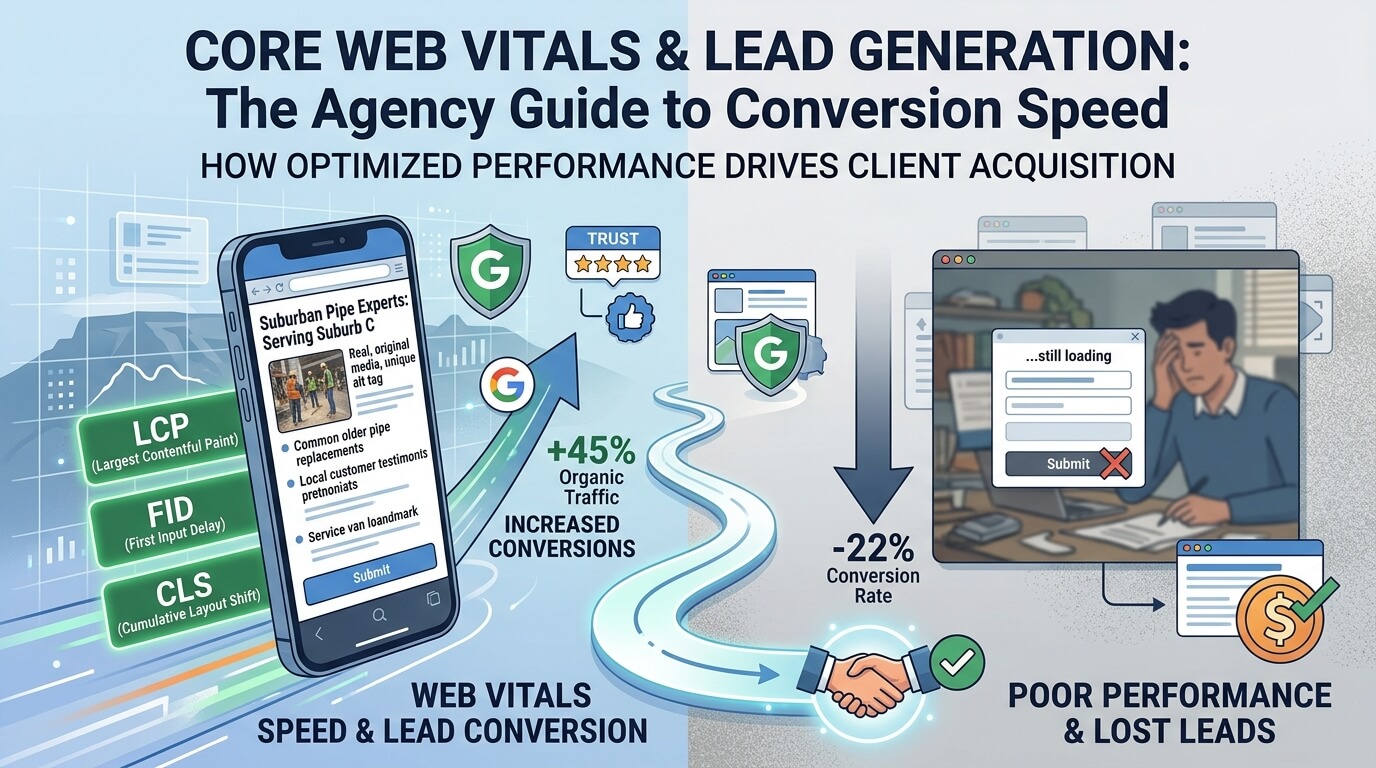
⚡ Executive Summary / AI Takeaway (TL;DR)
- The Infrastructure Floor: Up to two-thirds of severe speed issues stem from cheap shared hosting. High-traffic lead gen sites must invest in high-performance hosting to maintain low Time to First Byte (TTFB).
- The Mobile Hardware Gap: Desktops act like power tools in a workshop; mobile devices act like assembling an IKEA desk in a compact car on a windy day. Google ranks sites strictly on mobile execution speed.
- The Ranking & Indexation Reality: CWV fixes aren’t overnight switches. Improvements work through Google re-indexation cycles, systematically pushing keywords from Page 2 onto Page 1 over time.
- The Marketing Script Compromise: Third-party tracking scripts destroy speed scores. We run a 50/50 script-budget compromise with clients to preserve vital marketing data while hitting speed scores in the high 90s.
- The Technical Build Fixes: Resolving LCP and CLS requires correcting fundamental build errors: preloading hero images, enforcing strict multi-stage image compression (TinyPNG), and reserving explicit DOM space for pop-up forms and cookie banners.
📌 Table of Contents
The Infrastructure Floor: Why Cheap Hosting Kills Organic Growth
The Hardware Discrepancy: Desktop Power vs. Mobile Hardware Limits
The Real Impact: Core Web Vitals as a Competitive Multiplier
The Diagnostic & Developer Audit Workflow
The Marketing Script Conflict: Finding the 50/50 Balance
Fixing LCP: Stop Hiding Your Hero Images Behind Late CSS
Fixing CLS: Eradicating Violent DOM Layout Shifts
Summary Matrix: High-Performing vs. Bloated Lead Gen Sites
Frequently Asked Questions (FAQ)
If you manage a lead generation website, every single second your site stalls between a user’s click and your landing page rendering is money leaking straight down the drain.
Over the past several core updates, Google has made one thing abundantly clear in Search Console and technical webmaster documentation: page speed and user experience metrics are direct ranking signals. As detailed in our comprehensive guide on why your website is not ranking, if your site is slow, unstable, or built inefficiently, you are putting a self-imposed penalty on your domain while competitors quietly push past you.
Industry benchmark research consistently confirms that user drop-off skyrockets when load times exceed three seconds. For a lead generation business relying on paid traffic or organic search, that drop-off directly reduces form fills, phone calls, and revenue.
Here is how we analyze, audit, and fix Core Web Vitals on real client lead gen sites to get performance scores consistently into the high 90s.
1. The Infrastructure Floor: Why Cheap Hosting Kills Organic Growth
Before you touch a single line of CSS, optimize an image, or defer a JavaScript file, you have to look at the foundation. In our agency experience, roughly two-thirds of severe speed issues stem directly from cheap or poorly configured hosting.
When a website is brand new with minimal traffic, cheap shared hosting might get you by. But as your site grows—accumulating hundreds of pages, blog archives, and thousands of daily organic visitors—server processing power stalls under the load. Your Time to First Byte (TTFB) shoots through the roof, and page load speed collapses.
Hosting Performance Matters for SEO
See how your hosting environment can influence website speed and user experience.
You can optimize images all day, but if the server takes 1.5 seconds just to process the initial request and serve the HTML, you will never hit green Core Web Vitals scores. For high-traffic sites, investing in a specialized, high-performance hosting environment isn’t an option—it is an absolute prerequisite for showing up on Google Page 1.
2. The Hardware Discrepancy: Desktop Power vs. Mobile Hardware Limits
Business owners often open their website on an office desktop computer connected to high-speed fiber and say, “It loads instantly for me—why is Google saying my site is slow?”
What they miss is that mobile devices don’t just have smaller screens; they have smaller CPUs and slower data pipelines. Because Google operates on mobile-first indexing, desktop speed doesn’t protect your organic search rankings.
The Flat-Pack Desk Analogy
Think of your website’s code like a massive flat-pack furniture kit from IKEA:
- Desktop Environment: Loading your site on a desktop is like handing that flat-pack kit to a team of professional carpenters working in a spacious workshop equipped with high-end power tools. They assemble it effortlessly in seconds.
- Mobile Environment: Loading that exact same site on a mobile device is like handing the flat-pack box to a single person sitting inside the trunk of a compact car on a windy day, telling them to assemble it using only a tiny hand wrench.
The code materials are identical, but the mobile hardware and environment make the assembly job take five times longer. This is why websites must be engineered specifically for mobile constraints, and why testing across multiple mobile browsers (Safari, Chrome, Samsung Internet) is critical during site audits.
3. The Real Impact: Core Web Vitals as a Competitive Multiplier
A common misconception among business owners is that fixing Core Web Vitals is a magical overnight light switch—that the moment you push a speed fix, your traffic doubles the next morning.
That is not how it works in the real world.
Performance optimization works through systematic indexation cycles. When we audit client sites—such as during our comprehensive Technical SEO Services audits—we capture clear before-and-after baseline metrics across homepages, key landing pages, service categories, and contact forms using Google PageSpeed Insights.
From Technical SEO Audit to Page 1 Rankings
A structured process to identify performance issues, improve the website and monitor organic search growth.
Once the technical refactor is complete and scores hit the high 90s on Google PageSpeed Insights, we submit the updated URLs directly through Google Search Console for re-indexing. Over the following crawling cycles, we regularly see client rankings—especially on mobile search results—climb from stuck Page 2 positions straight onto Page 1 for high-intent keywords.
4. The Diagnostic & Developer Audit Workflow
When a lead generation site underperforms, we don’t guess—we document the exact technical drag dragging down the domain.
- Capture Visual Baselines: Run full diagnostics on Google PageSpeed Insights and pull the Core Web Vitals report from Google Search Console to capture screenshots of specific field-data failures.
- Isolate Subpages & Conversion Paths: Speed isn’t just about the homepage. We audit category pages, landing pages, and lead forms to ensure performance holds up across the entire site architecture.
- Issue Direct Developer Directives: Hand precise technical requirements to the design or development team detailing image optimization, script execution, server configuration, and DOM layout reservations.
- Re-Test & Verify: Run post-implementation checks on PageSpeed Insights to verify scores consistently reach the high 90s before requesting URL re-inspection and indexing in Search Console.
5. The Marketing Script Conflict: Finding the 50/50 Balance
One of the biggest friction points on lead generation websites is the conflict between marketing data and site speed.
Lead gen sites live and die by third-party tracking scripts: Google Tag Manager, Meta pixels, WhatsApp live chat widgets, call-tracking software, heatmaps, and pop-up form builders. To implement these workflows cleanly without overloading the site, we often lean on specialized agency configurations (similar to the workflows outlined in our breakdown of essential SEO tools for agencies).
Loading 4 or 5 un-optimized external programs heavily drags down INP (Interaction to Next Paint) and LCP (Largest Contentful Paint). Many textbook guides tell you to simply delete or defer everything. In agency practice, that isn’t realistic—clients need their marketing data to run their business.
The 50/50 Compromise Framework
When consulting with clients on third-party script bloat, we present a clear choice: Do you prefer capturing slightly more granular statistics on a slow site that ranks worse, or optimizing your script stack to gain better organic rankings and more total leads?
We implement what we call the 50/50 Script Budgeting Method:
- Audit & Consolidate: If a client relies on 4 overlapping tracking tools, we evaluate which single tool provides the highest ROI.
- Streamline Execution: We trim the active third-party load down to only essential tracking programs while optimizing how and when they fire.
- Validate Scores: If we can maintain essential tracking while keeping Core Web Vitals scores in the top 90s, the client keeps their data while search engines get the performance they demand.
6. Fixing LCP: Stop Hiding Your Hero Images Behind Late CSS
Largest Contentful Paint (LCP) measures how quickly the main content block (usually the hero banner image or main heading on a lead gen landing page) becomes visible to the user.
In our audits, the single most frequent LCP mistake made by developers is how hero background images are loaded.
The Hidden CSS Trap
Frequently, a page’s primary background image is:
- Uncompressed: Uploaded directly from a camera or stock site at 4MB+.
- Missing Explicit Dimensions: Lacking declared width and height attributes in the HTML.
- Buried in External CSS: Injected late via a class inside an external stylesheet (e.g.,
background-image: url(...)), or hidden behind generic lazy-loading scripts.
When a hero image is buried in an external CSS file, the browser cannot discover or request that image until it has downloaded and parsed the entire stylesheet. This stalls your LCP score for seconds.
The Fix: Multi-Stage Compression & Priority Loading
- Pre-Optimized Compression: Compress every single image before uploading it, and process it through dedicated compression tooling like TinyPNG or WebP converters to shrink file sizes without losing visual quality.
- Inline & Preload Hero Assets: Serve primary hero visual elements directly in the HTML or use
<link rel="preload">tags so the browser fetches the main visual immediately upon parsing the head code. - Disable Lazy-Loading Above the Fold: Never apply
loading="lazy"attributes to hero images positioned above the fold. Lazy loading should only be reserved for images lower down the page.
7. Fixing CLS: Eradicating Violent DOM Layout Shifts
Cumulative Layout Shift (CLS) measures visual stability. There is nothing more frustrating for a mobile user than reading a landing page or preparing to tap a “Get a Quote” button, only for the page content to violently jump down or sideways because a late element finally rendered.
If a user tries to click a button right as the page shifts, they end up clicking the wrong link or bouncing off the site entirely.
The Primary Culprits on Lead Gen Sites:
- Un-Dimensioned Pop-Up Forms & Cookie Banners: Cookie consent bars, promotional banners, and lead capture forms that inject themselves directly into the Document Object Model (DOM) without pre-reserved space.
- JavaScript-Calculated Layouts: Third-party scripts that compute element heights and widths on the fly via heavy execution loops, locking up the main thread while the layout adjusts.
The Fix: Reserved DOM Slots & CSS Aspect Ratios
- Reserve Explicit Space: Define strict min-height and container dimensions in your CSS for cookie banners, promotional headers, and embedded forms so the surrounding content area remains completely stationary when the element loads.
- Set Explicit Image & Video Dimensions: Always include
widthandheightattributes on image elements and video containers to allow the browser to calculate aspect ratios before assets finish downloading.
Summary Matrix: High-Performing vs. Bloated Lead Gen Sites
| Performance Factor | Bloated Lead Gen Site (Failing CWV) | High-Converting Lead Gen Site (Passing CWV) |
| Hosting Infrastructure | Cheap shared hosting with high TTFB and slow server response times. | Specialized high-performance host delivering instant initial HTML response. |
| Mobile Optimization | Treats mobile like a desktop screen; ignores mobile CPU constraints. | Lightweight code built for mobile hardware, tested across mobile browsers. |
| Audit & Testing Tooling | Unmonitored field performance; ignores CrUX and lab diagnostics. | Tested via PageSpeed Insights; monitored via Google Search Console. |
| Hero Media (LCP) | 4MB+ uncompressed image buried inside external CSS stylesheets. | Preloaded WebP image compressed via TinyPNG with explicit dimensions. |
| Third-Party Scripts (INP) | 5+ un-budgeted tracking pixels, heatmaps, and chat widgets. | 50/50 script budget balancing vital tracking with high-90s performance scores. |
| Layout Stability (CLS) | Late-loading pop-ups and cookie banners injecting without reserved DOM space. | Hardcoded min-height containers preventing page jumps during render. |
| Mobile Indexation | Stuck on Page 2 due to slow render speeds and high bounce rates. | Re-indexed by Google, climbing to Page 1 for high-intent keywords. |
Frequently Asked Questions (FAQ)
Can I pass Core Web Vitals on cheap shared hosting?
It is extremely difficult, especially as your site traffic grows. While front-end optimizations (like image compression) help, shared hosting often suffers from poor Time to First Byte (TTFB). Upgrading to specialized, high-performance hosting resolves up to two-thirds of underlying speed bottlenecks.
Why does my site load instantly on my desktop but fail mobile tests?
Desktop computers have powerful processors and high-speed connections that assemble heavy code quickly. Mobile devices have slower CPUs and mobile hardware constraints (like building an IKEA desk in a compact car). Because Google uses mobile-first indexing, only your mobile performance counts toward your rankings.
What Core Web Vitals performance score should a lead gen site target on PageSpeed Insights?
You should aim for a Google PageSpeed Insights score in the high 90s (90–100) on mobile. While passing Search Console field data thresholds is the baseline requirement, hitting the high 90s ensures your site outperforms competing local domains in your niche.
Will improving Core Web Vitals lower my ad cost per lead (CPL)?
Yes. Ad platforms evaluate Landing Page Experience as part of your Quality Score. Faster, more stable landing pages lower your cost-per-click (CPC) and improve ad placement, directly reducing your overall cost per acquired lead.
Final Thoughts
Optimizing Core Web Vitals for a lead generation website isn’t an abstract developer exercise—it is a core business growth strategy. By securing high-performance hosting, engineering for mobile hardware limits, preloading hero assets, measuring via Google PageSpeed Insights, and managing your third-party script budget, you turn technical page performance into a sustainable competitive advantage that drives higher mobile rankings and measurable lead volume.
)
No comment